

Google Merchant Center API: A Beginner’s Guide to Google’s Updated API
Highlights
- Google has substantially rewritten and expanded its Google Merchant Center API help documentation.
- The updated documentation now explains setup, authentication, API architecture, benefits, and available capabilities in greater detail.
- Merchant API is Google’s redesigned successor to the Content API for Shopping.
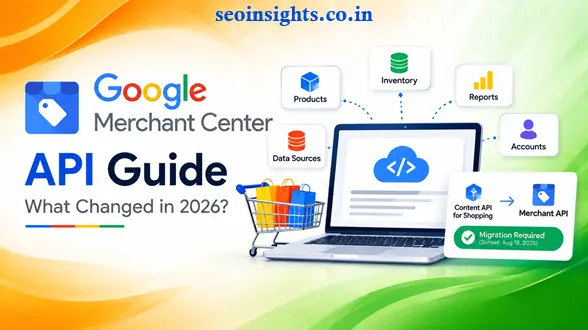
- The Content API for Shopping reached its sunset on August 18, 2026, making migration an important issue for developers still using the older API.
- Merchant API supports REST and gRPC and can be used with programming languages including Python, Java, PHP, Node.js, .NET, and Apps Script.
- Businesses can use Merchant API to automate products, inventories, data sources, reporting, account management, and other Merchant Center operations.
Introduction: Google Merchant Center Is Becoming More API-Driven
Imagine running an online store with thousands of products.
Every day, prices change. Stock levels change. Product information needs updating. Promotions come and go. Some products develop issues in Google Merchant Center while others need additional information.
Managing all of that manually can become difficult.
This is where the Google Merchant Center API becomes useful.
Google recently made a major update to its official Merchant Center API help documentation. Search Engine Roundtable reported on September 28, 2026, that Google had completely revamped the help page, which was previously called “API access to Merchant Center.” The new page is now titled “Google Merchant Center API” and contains substantially more information about the API, including technical options, setup, authentication, benefits, and API-specific capabilities. (Search Engine Roundtable)
The documentation update is more than a change in wording. It provides a clearer starting point for businesses and developers working with Google’s newer Merchant API architecture.
So, what exactly is the Google Merchant Center API, and why should an SEO professional, ecommerce owner, or developer care?
Let’s start with the basics.
What Is the Google Merchant Center API?
The Google Merchant Center API, officially called the Merchant API, allows applications to communicate programmatically with a Google Merchant Center account.
Instead of manually performing every operation through the Merchant Center interface, software can make API requests to manage information at scale.
For example, an ecommerce system could use the API to:
- Manage product information
- Update inventory
- Manage data sources
- Access reports and insights
- Manage account information
- Work with promotions and other product-related resources
- Monitor API-related problems
Google describes Merchant API as the redesign and official successor to the Content API for Shopping. (Google Help)
This distinction is important because Merchant API is not simply another name for the old API. Google has redesigned the architecture and introduced a more modular approach.
Why Did Google Update the Merchant Center API Documentation?
The recent documentation change gives developers a much clearer picture of how Merchant API fits into Google’s ecommerce technology.
According to Search Engine Roundtable, the previous documentation contained considerably less information about the broader architecture, setup, authentication, and technical options. The new documentation expands these areas and also highlights features such as Google Product Studio and direct account notifications. (Search Engine Roundtable)
For beginners, that matters because API documentation can often feel like a collection of technical instructions without explaining the bigger picture.
The revised documentation attempts to answer questions such as:
- What is Merchant API?
- Why should a business use it?
- How does authentication work?
- What can the API manage?
- How does it differ from Content API?
- How can developers diagnose API errors?
- How should existing integrations migrate?
That makes the updated documentation useful not only for experienced developers but also for teams planning their first Merchant API integration.
Google Merchant API vs Content API for Shopping
One of the most important things to understand is the difference between the old Content API for Shopping and the newer Merchant API.
Google describes Merchant API as a redesign of Content API for Shopping with a more modular structure. It provides separate sub-APIs and resources for different areas of Merchant Center functionality. (Google for Developers)
There is also a major timing issue.
Content API for Shopping Reached Its Sunset
Google’s latest Merchant API update states that Content API for Shopping reached its sunset on August 18, 2026. Google says developers with existing integrations should migrate to Merchant API as soon as possible. (Google for Developers)
That means businesses maintaining older integrations should not treat Merchant API as merely an optional future technology.
The migration has become an important technical maintenance task.
The Architecture Is Different
Merchant API introduces a modular structure with different sub-APIs.
For example, Google provides separate areas for functionality involving:
- Accounts
- Products
- Data sources
- Inventories
- Reports
- Conversion sources
- Other Merchant Center capabilities
This structure allows developers to focus on the parts of Merchant Center that their application actually needs. (Google for Developers)
What Can You Do With Google Merchant Center API?
The practical value of Merchant API becomes clearer when you look at everyday ecommerce operations.
-
Manage Products Programmatically
A store with a small catalog may be able to manage products manually.
A store with thousands or millions of product offers is a different story.
Merchant API provides programmatic product management capabilities.
One important architectural change is that Merchant API separates ProductInput from the processed Product resource.
ProductInput is used to submit product information, while Product represents the processed product after Google applies processing, rules, and supplemental information. (Google for Developers)
This separation gives developers a clearer distinction between:
What the application sends
and
What Google ultimately processes.
-
Manage Data Sources
Product information can come from different sources.
Merchant API provides a dedicated Data Sources API for managing these sources.
Google’s migration documentation shows that operations such as creating, retrieving, updating, deleting, and fetching data sources have corresponding Merchant API methods. (Google for Developers)
For example, instead of manually changing a feed through Merchant Center every time, an application can interact with the appropriate API resources.
This can be particularly useful for larger ecommerce systems where product information originates from databases, ERP systems, inventory platforms, or other applications.
-
Manage Inventory
Inventory information is another important part of ecommerce automation.
A product might exist in a catalog while its availability or store-specific information changes frequently.
Merchant API provides inventory-related functionality that can help businesses keep product information synchronized with their systems.
Google’s documentation also explains that different Merchant API features can work alongside one another, allowing developers to use specific APIs for different requirements. (Google for Developers)
-
Access Reports and Insights
Merchant API isn’t limited to uploading products.
Google says the API provides programmatic access to data, insights, and capabilities associated with shopping experiences. (Google Help)
This creates opportunities for businesses to connect Merchant Center information with their own reporting systems.
For example, an ecommerce company might build an internal dashboard that combines:
- Product information
- Inventory information
- Merchant Center issues
- Performance data
- Internal sales data
The exact implementation depends on the business’s technology stack and the Merchant API services it uses.
Merchant API Supports REST and gRPC
Developers have two important ways to communicate with Merchant API: REST and gRPC.
Google’s documentation states that Merchant API supports both. Google’s client libraries use gRPC, while REST remains available for API requests. (Google for Developers)
What Is REST?
REST uses HTTP requests and is familiar to many web developers.
A developer might send requests such as:
- GET
- POST
- PATCH
- DELETE
REST can be a comfortable starting point for developers already working with web APIs.
What Is gRPC?
gRPC is a remote procedure call framework that uses protocol buffers and HTTP/2.
Google recommends gRPC as the newer approach for Merchant API, and its client libraries require gRPC. (Google for Developers)
Beginners do not necessarily need to understand every technical detail of gRPC before starting.
The important point is that Merchant API is designed to support modern application-to-application communication rather than relying only on traditional REST patterns.
How Do You Set Up Google Merchant Center API?

A beginner may initially assume that an API key is all that is required.
Merchant API setup is more structured.
Google says you need:
- A Merchant Center account
- A Google Cloud project
- At least one user with the API developer role
- A developer registration linking the Merchant Center account and Google Cloud project
Step 1: Have a Merchant Center Account
The API works with your Merchant Center account.
The account needs the appropriate permissions for the operations your application will perform.
Step 2: Create a Google Cloud Project
The Google Cloud project provides the environment used for API access.
Think of this project as the technical home for your API integration.
Step 3: Complete Developer Registration
Google requires the Merchant Center account and Google Cloud project to be linked through developer registration.
Google’s migration documentation provides a registration method using the Merchant API. (Google for Developers)
Step 4: Configure Authentication
Merchant API supports authentication mechanisms including OAuth 2.0 and service accounts.
For beginners experimenting with the API, Google also provides access through APIs Explorer using OAuth 2.0. (Google Help)
Authentication is important because API requests can perform operations affecting products, accounts, and other Merchant Center data.
A Simple Example of Merchant API in the Real World
Consider a fashion retailer with 20,000 products.
The retailer stores product information in its ecommerce database.
Every night, the database may contain changes such as:
Product A
- Price changed
- Stock reduced
Product B
- New product added
Product C
- Product discontinued
Without automation, someone may need to update several systems manually.
With a suitable Merchant API integration, the retailer’s software can send the necessary product or data-source changes programmatically.
The workflow might look like this:
Ecommerce database → Integration software → Merchant API → Merchant Center
This doesn’t mean every store needs a custom API integration. Smaller merchants may use ecommerce platforms or third-party tools that handle synchronization for them.
Google specifically notes that merchants using third-party technology partners to synchronize product data generally don’t need to perform the migration themselves because the provider handles the API migration. (Google for Developers)
What Happened to the Old Content API?
If you have heard about the Content API for Shopping, it is important to understand that it is now a legacy technology.
Merchant API is its successor.
Google’s current documentation says Content API for Shopping is deprecated and that Merchant API should be used for the latest automated account and product management capabilities. (Google Help)
The migration isn’t necessarily a simple find-and-replace exercise.
Google’s migration guide points out that fields, methods, identifiers, and resource structures can change between the APIs. (Google for Developers)
Example: Product Identifiers Changed
In Content API, product IDs commonly used a colon-separated structure.
Merchant API uses resource names such as:
accounts/{account}/products/{product}
The product portion can use a different delimiter structure, and Google recommends appropriate encoding when identifiers contain reserved characters. (Google for Developers)
This is one reason developers should read the migration documentation rather than assuming that old code will work unchanged.
Why the Migration Requires Planning
Suppose an application has been running for several years.
It may contain:
- Authentication code
- Product upload functions
- Inventory functions
- Feed management
- Error handling
- Reporting
- Scheduled jobs
- Database mappings
- Custom dashboards
Changing the API can therefore affect several parts of the application.
Google recommends starting migration by mapping existing Content API methods to their Merchant API equivalents and identifying the sub-APIs required by the integration. (Google for Developers)
A Practical Migration Checklist
Before changing production code, make a list of every Content API operation your application uses.
For example:
| Existing Function | Migration Question |
| Product upload | Which Merchant API product input method replaces it? |
| Product status | Where is status information now returned? |
| Data feeds | Which Data Sources API resources are required? |
| Inventory | Which Merchant Inventory resource is appropriate? |
| Reporting | Which Reports API methods are needed? |
| Account management | Which new account resources replace the old structure? |
This simple inventory can prevent developers from migrating only the most visible API calls while overlooking supporting functionality.
Merchant API Includes API Diagnostics
One particularly useful feature for developers is API diagnostics.
Google’s Merchant Center documentation says the API diagnostics area can show successful and failed API requests for a selected period. Developers can filter requests by API version, service, and method and inspect examples of failed requests. (Google Help)
This is useful because an API integration can fail without the ecommerce website itself appearing broken.
For example:
Customer visits store → Website works
but:
Website → Integration → Merchant API → Product update
could fail.
The result might be outdated product information in Merchant Center even though the customer’s shopping experience on the website appears normal.
API diagnostics gives developers another place to investigate such problems.
Google Product Studio and API-Only Capabilities
The updated Google help documentation also highlights exclusive capabilities associated with the API, including Google Product Studio for AI-powered imagery and direct account notifications. (Google Help)
This is an interesting development because Google’s Merchant ecosystem is moving beyond basic product-feed management.
Modern product data systems increasingly involve:
- Product content
- Images
- Inventory
- Promotions
- Reporting
- Automation
- Notifications
- AI-assisted capabilities
For ecommerce teams, the API can therefore become part of a broader automation strategy rather than simply a product-upload mechanism.
Who Should Care About Google Merchant Center API?
Not every website owner needs to write API code.
The API is particularly relevant to:
Ecommerce Developers
Developers building custom ecommerce platforms or integrations may need programmatic control over Merchant Center.
Large Online Retailers
Businesses with large catalogs can benefit from automation when manually managing product information becomes impractical.
SaaS Platforms
Software platforms that help merchants manage product data may integrate with Merchant API as part of their service.
Agencies
SEO and ecommerce agencies managing technical integrations for clients may need to understand Merchant API when diagnosing product synchronization issues.
SEO Professionals
SEO specialists don’t necessarily need to become API developers.
However, understanding how product information reaches Google can help when troubleshooting issues involving Shopping visibility, product data, feeds, and ecommerce integrations.
Beginner Tips for Working With Google Merchant API
-
Start With Google’s Official Documentation
Do not build your integration from an old blog post or an outdated code example.
Google’s Merchant API documentation is changing as the platform develops.
Start with Google’s official migration and API guides. (Google for Developers)
-
Identify Your Existing API Calls
If you are migrating from Content API, make a list of every endpoint, method, and resource your application currently uses.
Do not migrate based only on the functions you remember.
Search the entire codebase.
-
Test Before Production
Create a controlled development environment and test API requests before changing your production integration.
Pay particular attention to:
- Authentication
- Product identifiers
- Data-source requirements
- Error handling
- API versions
- Request formats
- Permissions
-
Monitor API Diagnostics
After deployment, monitor API requests rather than assuming the migration succeeded because the application starts without errors.
Failed API calls can affect product management even when your ecommerce website itself continues operating normally. (Google Help)
-
Don’t Assume the APIs Are Identical
Merchant API has been redesigned.
Google explicitly notes that complete backward compatibility cannot be guaranteed for similar features because field names and method availability may differ. (Google for Developers)
Treat migration as a technical upgrade rather than simply changing an endpoint URL.
Does Every Merchant Need to Use the Google Merchant Center API?
No.
This is an important distinction for beginners.
If you operate a small online store and use an ecommerce platform or approved integration that automatically synchronizes products with Google, you may never need to write Merchant API code yourself.
Google notes that third-party technology partners can handle the API migration for merchants using their synchronization services. (Google for Developers)
The API becomes more important when you need custom automation or direct programmatic control.
What Does the Documentation Update Mean for SEO?
At first glance, an API documentation update may sound like a developer-only story.
But ecommerce SEO depends partly on how accurate product information reaches Google’s systems.
Consider a simple chain:
Product database → Product information → Merchant Center → Google shopping experiences
If an integration fails, product data may become outdated or incomplete.
That can create technical problems that an SEO professional may encounter as:
- Product data issues
- Inventory discrepancies
- Feed problems
- Merchant Center warnings
- Synchronization failures
The API itself is not an SEO ranking shortcut.
Instead, it is a technical infrastructure layer that can help businesses maintain product information and Merchant Center operations programmatically.
The Bigger Picture: Merchant API Is Google’s New Foundation
The recent documentation update makes more sense when viewed alongside Google’s broader Merchant API transition.
Google has been restructuring the old Content API into a modular Merchant API architecture.
The new design includes separate APIs and resources for different business requirements, while also introducing capabilities for notifications, data sources, inventories, reporting, and other Merchant Center functions. (Google for Developers)
The August 2026 sunset of Content API for Shopping makes this transition particularly significant. (Google for Developers)
For developers, the message is straightforward: legacy integrations should be reviewed, mapped, tested, and migrated where necessary.
For SEO professionals and ecommerce owners, the key lesson is simpler: understand which system is responsible for sending and maintaining your product information in Google.
Key Takeaways
- Google Merchant Center API is Google’s modern programmatic interface for managing Merchant Center functionality.
- Merchant API is the redesigned successor to the Content API for Shopping.
- The Content API for Shopping reached its sunset on August 18, 2026. (Google for Developers)
- Merchant API uses a modular architecture with separate resources and sub-APIs.
- It supports both REST and gRPC and has client-library support for several programming languages. (Google for Developers)
- Developers migrating from Content API should review resource names, methods, identifiers, authentication, and data-source requirements.
- API diagnostics can help identify successful and failed requests inside Merchant Center. (Google Help)
FAQ: Google Merchant Center API
-
What is Google Merchant Center API?
Google Merchant Center API, officially known as Merchant API, is a programmatic interface that lets applications manage Merchant Center data and capabilities, including products, inventory, data sources, accounts, and reporting. (Google Help)
-
Is Google Merchant API replacing Content API for Shopping?
Yes. Merchant API is Google’s redesigned successor to Content API for Shopping. Google states that Content API for Shopping reached its sunset on August 18, 2026. (Google for Developers)
-
Do small businesses need to use Merchant API?
Not necessarily. Businesses using ecommerce platforms or third-party services that synchronize product information may not need to build or manage their own API integration. Google notes that technology partners can handle API migration for merchants using their services. (Google for Developers)
-
What programming languages can be used with Merchant API?
Google’s documentation says Merchant API can be used with popular programming languages including Python, Java, PHP, Node.js, .NET, and Apps Script. (Google Help)
-
How can developers troubleshoot Merchant API errors?
Merchant Center provides an API diagnostics area where developers can review successful and failed API requests, filter requests by service or method, and examine details of failed calls. (Google Help)
Conclusion
The September 2026 update to Google’s Google Merchant Center API documentation is useful because it brings the API’s purpose, architecture, setup process, and capabilities into one more comprehensive resource.
But the larger story is Google’s continuing transition from the older Content API for Shopping to Merchant API.
With the Content API sunset having occurred on August 18, 2026, developers maintaining older integrations should treat migration as an active technical requirement rather than a distant upgrade. (Google for Developers)
For beginners, there is no need to understand the entire Merchant API ecosystem on day one.
Start with the basics: understand your current integration, identify which Merchant Center operations your application performs, map those operations to Merchant API resources, test the migration carefully, and monitor API diagnostics after deployment.
For ecommerce businesses, the goal is ultimately simple: keep product and Merchant Center information accurate, synchronized, and manageable as the business grows.