

Why Metrics Matter (and Why Most People Track the Wrong Ones)
Metrics are a feedback loop. Without them, you repeat what feels good rather than what works. With them, you can answer practical questions: Which topics resonate? Which platform sends visitors who actually sign up? Is the time you spend posting worth it?
The common trap is tracking vanity metrics: numbers that look impressive but don’t connect to a goal. Follower count and total likes are the usual suspects. They aren’t useless, since they hint at awareness and audience size, but they can rise while your business stays flat.
Actionable metrics, by contrast, change what you do next. If a post’s click-through rate is low, you rewrite the call to action. If one format keeps getting saved and shared, you make more of it.
A note on how to read this article: the definitions and formulas below are widely used conventions (established practice). The advice on what to prioritize is my recommendation, and where I give judgment calls, I say so.
Start With a Goal, Not a Dashboard
Before opening any analytics page, write down what social media is supposed to do for you. Most beginner goals fit one of these:
- Awareness: get discovered by new people.
- Community and interest: build an audience that pays attention.
- Action: drive sign-ups, sales, bookings, or enquiries.
Your goal decides your metrics. A new bakery wanting local awareness cares about reach. A freelance designer wanting clients cares about profile visits and enquiries. An online shop cares about purchases. Choosing metrics first and goals second is how people end up proudly reporting numbers that mean nothing.
The Three Metric Families: Reach, Engagement, and Conversions
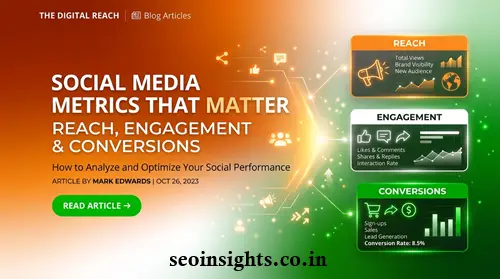
Think of them as a funnel. People first see your content (reach), then react to it (engagement), then act on it (conversions). Each stage tells you something different, and a problem at one stage needs a different fix than a problem at another.
Reach: How Many People Actually See Your Content
What Is Reach?
Reach is the number of unique accounts that saw your content at least once. If one person sees your post three times, that’s a reach of one.
Reach vs. Impressions
This is one of the most searched confusions in social media analytics.
- Reach counts unique people.
- Impressions (on many platforms) count total displays, including repeat views by the same person.
If your impressions are much higher than your reach, the same people are seeing your content repeatedly. That can be good (brand familiarity) or a sign you’re not reaching anyone new.
Important caveat: platforms change their terminology and definitions over time. Several major platforms have moved toward “views” as a headline measure, and the exact meaning differs by platform. Always check the definition inside the analytics tool you’re using, and avoid comparing a number from one platform directly with a similarly named number on another.
Related Awareness Metrics
- Follower growth rate: new followers over a period relative to your starting audience. More informative than total followers, because it shows momentum.
- Share of voice (advanced): your brand’s mentions compared with competitors’. Useful later, not essential on day one.
- Profile visits: a handy bridge between reach and action, since it signals curiosity.
How to Use Reach
If reach is flat or falling, look at distribution factors: posting format, topic, hook, timing, and whether people are sharing your content. Reach is also the metric most dependent on the platform’s recommendation system, so expect it to fluctuate more than the others. Treat a single bad week as noise and look at trends across a month or more.
Engagement: Are People Responding?
What Counts as Engagement?
Engagement is any interaction with your content: likes, comments, shares or reposts, saves, replies to stories, clicks, and sometimes video watch behavior. Not all interactions are equal. A rough hierarchy (my recommendation, not a platform rule):
- Higher-effort signals: shares, saves, thoughtful comments, direct messages. These suggest real value.
- Lower-effort signals: likes and quick reactions. Useful, but easy to earn.
A post with 40 likes and 12 saves may be doing more for you than a post with 200 likes and zero saves, especially if your content is educational.
How to Calculate Engagement Rate
There’s no single official formula. Two common versions:
By reach: (total engagements ÷ reach) × 100
By followers: (total engagements ÷ followers) × 100
Example: A post gets 30 likes, 8 comments, 6 shares, and 16 saves, which is 60 engagements. It reached 1,500 people.
- Engagement rate by reach: 60 ÷ 1,500 × 100 = 4%
- If you have 2,000 followers: 60 ÷ 2,000 × 100 = 3%
The by-reach version tends to be fairer, because it measures how the people who actually saw the post responded. Whichever you pick, use it consistently. The trend matters more than the absolute figure.
What Is a Good Engagement Rate?
Honest answer: it depends on platform, industry, account size, and how the rate is calculated. Published benchmarks vary widely and often use different formulas, so treat them with caution. A more reliable approach for beginners is to benchmark against yourself. Calculate your average over the last 10 to 20 posts, then aim to beat that baseline.
Other Engagement Metrics Worth Knowing
- Video completion or average watch time: shows whether your hook and pacing hold attention.
- Comment quality: a handful of real questions can be worth more than many emoji replies.
- Amplification (shares per post): a sign your content is useful enough to pass along.
Conversions: Did People Take the Action You Wanted?
What Is a Conversion?
A conversion is any valuable action you’ve defined in advance: buying, subscribing to a newsletter, booking a call, downloading a guide, requesting a quote, or installing an app. This is the point where social media connects to results you can show a manager or client.
Key Conversion Metrics
- Click-through rate (CTR): clicks ÷ impressions × 100. Shows how compelling your link or call to action is. (Use the impressions or views figure your platform gives for the same content.)
- Conversion rate: conversions ÷ clicks (or visitors) × 100. Shows how well your destination page turns visitors into customers.
- Cost per conversion (or cost per acquisition): ad spend ÷ conversions. Essential if you run paid campaigns.
- Return on ad spend (ROAS): revenue from ads ÷ ad spend. Useful when you can attribute revenue reliably.
Example: You promote a free checklist. Your post is shown 10,000 times and gets 200 link clicks, so CTR is 2%. Of those 200 visitors, 30 download it, so the conversion rate is 15%. If you spent 60 in ads, your cost per conversion is 2 per download.
Notice what this reveals. If CTR is strong but the conversion rate is weak, the post is doing its job and your landing page is the problem. Fixing the post would be wasted effort.
How to Track Conversions Properly
- Use UTM parameters on links so your website analytics can show which post or campaign sent each visitor.
- Set up conversion tracking in your website analytics tool and, if you advertise, in the ad platform’s own tracking.
- Define one primary conversion per campaign so results aren’t muddy.
- Be realistic about attribution. People often see a post, leave, and convert days later through another channel. Privacy changes and browser restrictions also mean tracking is rarely perfect. Treat conversion data as a strong indicator, not an exact ledger.
Putting It Together: A Realistic Scenario
Imagine a small online store selling handmade candles, with a goal of increasing sales from social media.
| Stage | Metric | What the data shows | Likely action |
| Reach | Reach per post | Steady, slightly rising | Keep current posting rhythm |
| Engagement | Saves and shares | Behind-the-scenes videos get the most saves | Make more of that format |
| Conversion | CTR to shop | Low (under the store’s usual average) | Test clearer calls to action and link placement |
| Conversion | Conversion rate on product page | Reasonable | No change needed yet |
The story is clear: people see and like the content, but not enough click through. A beginner who only watched likes would have concluded everything was fine. A funnel view shows exactly where to focus.
Metrics by Goal: A Quick Cheat Sheet
- Awareness goal: reach, follower growth rate, profile visits.
- Engagement or community goal: engagement rate, shares, saves, comments.
- Sales or lead goal: CTR, conversion rate, cost per conversion, revenue attributed to social.
- Customer support or loyalty goal: response time, sentiment of comments and messages.
Pick two or three from your goal’s list. More than that and the data stops guiding decisions.
Common Mistakes Beginners Make
- Chasing followers. A smaller audience that cares usually beats a large one that doesn’t.
- Comparing platform numbers directly. Definitions differ, so a “view” or “impression” isn’t a universal unit.
- Judging posts too early. Check performance after a reasonable window, not an hour after publishing.
- Ignoring context. A spike may come from a one-off event, a giveaway, or a paid boost. Note what happened before drawing conclusions.
- Tracking everything, acting on nothing. Every number you report should connect to a decision.
- Skipping conversion tracking. Without it, social media looks like a cost center.
- Copying someone else’s benchmarks. Their audience, formula, and goals differ from yours.
Best Practices for Measuring Social Media Performance
- Set a baseline first. Record your current numbers before changing strategy.
- Review on a schedule. Monthly works well for most beginners, with a quick weekly glance at recent posts.
- Compare like with like: the same format, platform, and time period.
- Test one change at a time, such as a new hook, format, or call to action, so you know what caused the difference.
- Keep a simple log. A spreadsheet with date, post type, topic, reach, engagement, clicks, and notes is enough to reveal patterns within a couple of months.
- Pair numbers with qualitative signals. Read the comments and messages. They explain why the numbers moved.
Tools You Can Use
You don’t need to spend money to start.
- Native analytics inside each platform (free, and the most reliable source for that platform’s own definitions).
- A website analytics tool such as Google Analytics, to see what visitors do after they click.
- UTM link builders to tag your links consistently.
- A spreadsheet to combine data across platforms.
- Third-party social management tools are worth considering later if you manage many accounts. Features and pricing change often, so check current details before committing.
Limitations and Things That Change
Social analytics are imperfect. Platforms periodically rename metrics, change what’s counted, or adjust what data is available. Privacy rules and browser settings can reduce tracking accuracy. And correlation isn’t causation: a conversion that follows a post may have been influenced by something else. Use the data to make better-informed choices, not to claim certainty.
Key Takeaways
- Define your goal first, then choose two or three metrics that measure it.
- Reach tells you who saw your content, engagement tells you who responded, and conversions tell you who acted.
- Prefer engagement rate by reach, and benchmark against your own past posts rather than generic industry numbers.
- Weight shares and saves above likes when judging content value.
- Use UTM links and conversion tracking so social media’s real contribution is visible.
- Diagnose by funnel stage: a low CTR and a low conversion rate need different fixes.
- Check each platform’s current metric definitions before comparing numbers.
FAQ
What are the most important social media metrics for beginners?
Start with reach, engagement rate, and one conversion metric tied to your goal, such as link clicks or sign-ups. Add others only when you have a specific question they answer.
What is the difference between reach and impressions?
Reach counts unique people who saw your content. Impressions count total displays, including repeat views by the same person. Platform terminology varies, so check how your platform defines each.
How do you calculate social media engagement rate?
A common method is total engagements divided by reach, multiplied by 100. Another divides by followers. There’s no universal standard, so choose one and stay consistent.
What is a good engagement rate on social media?
It varies by platform, industry, and calculation method, and published benchmarks often conflict. The most dependable benchmark is your own average over recent posts.
Are likes and followers vanity metrics?
Often, when used alone. They show some level of awareness but don’t prove business impact. They become useful when read alongside saves, shares, clicks, and conversions.
How do I measure social media conversions?
Define the action you want, tag your links with UTM parameters, and set up conversion tracking in your website analytics or ad platform. Expect some attribution gaps.
How often should I review my social media analytics?
A monthly review for trends, plus a brief weekly check on recent posts, suits most beginners. Daily checking tends to create overreaction to normal fluctuations.
What is a social media KPI?
A KPI (key performance indicator) is a metric directly tied to a goal. If your goal is sales, link clicks and purchases are KPIs; follower count probably isn’t.
Conclusion
The metrics that matter are the ones that tell you what to do next. Reach shows whether your content is being discovered, engagement shows whether it’s worth responding to, and conversions show whether it’s driving the outcome you care about.
Your next step: write down one goal, pick two or three metrics from the cheat sheet above, and record your current numbers as a baseline. Review them in a month, change one thing, and see what moves.
For More Articles on Social Media:
- Social Media Marketing Strategy 2026: The Complete Step-by-Step Guide
- How to Conduct a Social Media Audit: Checklist and Template
- How to Build a Social Media Strategy From Scratch (With Examples)
- How to Choose the Right Social Media Platforms for Your Brand
- Social Media SEO: How to Optimize Profiles and Posts for Search
- Social Media Trends 2026: What Marketers Need to Know Now