

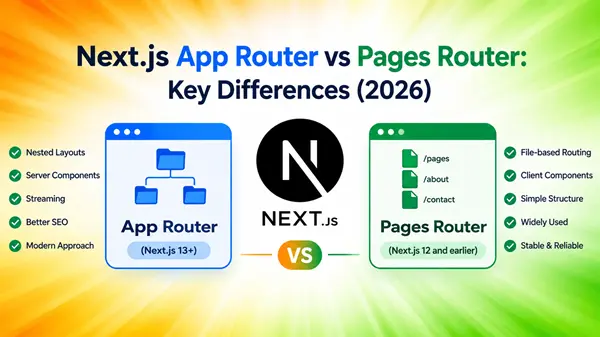
Next.js App Router vs Pages Router: Key Differences Explained for Beginners
Choosing the right routing system is one of the first important decisions when building a website with Next.js. If you are learning Next.js, developing a blog, or creating a full-stack application, you will probably encounter two options: the App Router and the Pages Router.
Both systems help you create URLs, render pages, fetch data, and build web applications. However, they organize code differently and offer different approaches to layouts, server rendering, and application development.
The App Router is the newer routing system and the recommended starting point for most new Next.js projects. The Pages Router remains supported and can still be a practical choice for existing applications.
In this guide, you will learn how Next.js App Router vs Pages Router compares, see practical examples, and discover which option makes sense for your project.
What Is the Next.js App Router?
The Next.js App Router is a file-system-based routing system that uses an app directory to organize pages, layouts, loading states, and other parts of a web application.
It builds on modern React capabilities, including Server Components, Suspense, and server-side data handling.
For example, imagine you want to create a digital marketing website with these pages:
- Homepage: /
- Blog: /blog
- About page: /about
- Individual article: /blog/technical-seo
Your App Router project might look like this:
my-website/
├── app/
│ ├── layout.tsx
│ ├── page.tsx
│ ├── about/
│ │ └── page.tsx
│ └── blog/
│ ├── page.tsx
│ └── [slug]/
│ └── page.tsx
├── components/
├── public/
└── package.json
Here is how the structure works:
- app/page.tsx creates the homepage.
- app/about/page.tsx creates the About page.
- app/blog/page.tsx creates the blog listing.
- app/blog/[slug]/page.tsx handles dynamic article URLs.
- app/layout.tsx defines the shared root layout.
The [slug] folder represents a dynamic route. It can handle URLs such as /blog/technical-seo and /blog/content-marketing, provided the application contains the corresponding articles.
Why is the App Router useful?
The App Router makes it easier to organize larger websites using nested layouts and route-specific components. It also lets you fetch data in Server Components and use Client Components only where interactivity is needed.
For a content-focused website, this can help separate article content, navigation, search functionality, and other interactive features.
What Is the Next.js Pages Router?
The Next.js Pages Router is the original file-system routing approach used by Next.js before the App Router was introduced in Next.js 13.
It uses a pages directory. Files inside that directory generally map directly to website URLs. The Pages Router is still supported in newer Next.js versions.
Consider the same digital marketing website built with the Pages Router:
my-website/
├── pages/
│ ├── index.tsx
│ ├── about.tsx
│ ├── blog/
│ │ ├── index.tsx
│ │ └── [slug].tsx
│ ├── _app.tsx
│ ├── _document.tsx
│ └── api/
│ └── posts.ts
├── components/
├── public/
└── package.json
The main files have these purposes:
- pages/index.tsx creates the homepage.
- pages/about.tsx creates the About page.
- pages/blog/index.tsx creates the blog listing.
- pages/blog/[slug].tsx handles individual articles.
- pages/_app.tsx provides shared application-level setup.
- pages/_document.tsx customizes the underlying HTML document.
- pages/api/posts.ts defines an API endpoint.
The Pages Router uses familiar React components and established data-fetching methods such as getStaticProps and getServerSideProps.
Why do developers still use the Pages Router?
Many existing websites already use this system successfully. Developers may also prefer its established conventions when maintaining an older project or learning traditional Next.js page rendering.
If your existing website works well, changing routers simply because a newer option exists is not necessarily a good use of development time.
Next.js App Router vs Pages Router: Key Differences
The most important differences involve file structure, layouts, data fetching, rendering, API endpoints, and error handling.
Here is a quick comparison.
| Feature | App Router | Pages Router |
| Main directory | app/ | pages/ |
| Page convention | page.tsx | File names such as about.tsx or index.tsx |
| Shared layouts | Built-in nested layouts | Commonly handled through _app.tsx and layout patterns |
| Default component model | Server Components | Traditional page components, commonly used with client-side React logic |
| Data fetching | Async Server Components and framework APIs | getStaticProps, getServerSideProps, and other established patterns |
| SEO metadata | Metadata API and metadata files | Commonly next/head |
| Loading UI | loading.tsx convention | Usually implemented with component state or other patterns |
| Error handling | Route-level error.tsx and related conventions | Custom error pages and React error-handling patterns |
| API endpoints | Route Handlers | API Routes |
| Migration | Recommended direction for new projects | Existing projects can continue using it |
These are architectural differences rather than a guarantee that one website will always be faster or rank higher than another. Both routers support important rendering and SEO capabilities, although the implementation differs.
File Structure and Routing
The first difference you will notice is how each router creates URLs.
App Router: Use folders and page.tsx
In the App Router, folders represent route segments, while a page.tsx file makes a route publicly accessible.
Example:
app/
├── page.tsx
├── services/
│ └── page.tsx
└── blog/
├── page.tsx
└── [slug]/
└── page.tsx
This creates routes such as:
- /
- /services
- /blog
- /blog/seo-basics
A folder alone does not automatically create a public page. The relevant route needs a page file.
Pages Router: Use filenames
The Pages Router maps files in the pages directory to URLs.
pages/
├── index.tsx
├── services.tsx
└── blog/
├── index.tsx
└── [slug].tsx
This produces similar routes:
- /
- /services
- /blog
- /blog/seo-basics
Which is easier?
Both approaches are relatively straightforward. The Pages Router may feel more familiar to developers who have used older Next.js projects. The App Router provides additional structure for complex applications through route-specific files and nested layouts.
Layouts and Shared Components
A layout contains elements shared across multiple pages, such as a website header, navigation menu, sidebar, and footer.
For example, a digital marketing blog may display the same logo, main navigation, and footer on every article.
App Router: Built-in nested layouts
The App Router supports layouts through files named layout.tsx.
app/
├── layout.tsx
├── page.tsx
└── blog/
├── layout.tsx
├── page.tsx
└── [slug]/
└── page.tsx
The root layout can contain the site’s overall structure, while the blog layout can provide additional elements shared by blog pages.
Layouts can remain mounted during navigation, helping preserve their state and avoiding unnecessary rerendering of shared layout components.
Pages Router: Shared layouts through application components
In the Pages Router, developers commonly place global providers and shared components in _app.tsx.
For example:
import type { AppProps } from ‘next/app’
import Header from ‘../components/Header’
import Footer from ‘../components/Footer’
export default function App({
Component,
pageProps,
}: AppProps) {
return (
<>
<Header />
<Component {…pageProps} />
<Footer />
</>
)
}
This gives all pages the same header and footer.
For different layouts on different sections, developers can use custom layout patterns or conditionally select a layout for each page.
Winner for built-in nested layouts: App Router.
The App Router provides a more direct way to express nested page structures. However, the Pages Router can still support shared and page-specific layouts.
Data Fetching: A Major Difference
Data fetching is one of the most important differences between the two routers.
Imagine you run a blog that stores articles in a database. Each article needs a title, publication date, author, and body.
Both routers can retrieve this information, but they approach the task differently.
App Router: Fetch data in Server Components
App Router pages and layouts are Server Components by default. They can retrieve data on the server without requiring every page to use a separate data-fetching function.
Example:
export default async function BlogPage() {
const response = await fetch(
‘https://example.com/api/posts’
)
if (!response.ok) {
throw new Error(‘Unable to load posts’)
}
const posts = await response.json()
return (
<main>
<h1>Latest Blog Posts</h1>
{posts.map((post: { id: number; title: string }) => (
<article key={post.id}>
<h2>{post.title}</h2>
</article>
))}
</main>
)
}
This simplified example fetches posts on the server and renders a list. A production application should also validate the returned data and handle failures appropriately.
An important detail: caching is not the same as fetching data. You should deliberately choose the caching and revalidation behavior appropriate for your application and your Next.js version.
For example, a blog article may be suitable for caching and periodic revalidation, while a private account dashboard may need fresh, user-specific data.
Pages Router: Use dedicated data-fetching functions
The Pages Router commonly uses getStaticProps or getServerSideProps.
A static-generation example:
import type { GetStaticProps } from ‘next’
type Post = {
id: number
title: string
}
export const getStaticProps: GetStaticProps = async () => {
const response = await fetch(
‘https://example.com/api/posts’
)
if (!response.ok) {
throw new Error(‘Unable to load posts’)
}
const posts: Post[] = await response.json()
return {
props: { posts },
revalidate: 60,
}
}
export default function BlogPage({
posts,
}: {
posts: Post[]
}) {
return (
<main>
<h1>Latest Blog Posts</h1>
{posts.map((post) => (
<article key={post.id}>
<h2>{post.title}</h2>
</article>
))}
</main>
)
}
This example generates the page using fetched data and configures a 60-second revalidation interval.
The actual refresh behavior depends on the rendering configuration and whether the page is requested again.
What about getServerSideProps?
Use getServerSideProps when a page needs data fetched for each request, such as information that changes frequently or depends on the incoming request.
The App Router offers alternative server-side patterns using async Server Components, request-specific information, and explicit caching controls.
| Requirement | App Router approach | Pages Router approach |
| Generate pages from data | Server Components and appropriate caching | getStaticProps |
| Generate dynamic routes | Dynamic segments and optionally generateStaticParams | Dynamic route files and optionally getStaticPaths |
| Fetch data per request | Server-side fetching with suitable dynamic behavior | getServerSideProps |
| Refresh content periodically | Appropriate caching and revalidation APIs | revalidate in supported static-generation workflows |
The two approaches are not identical in every detail, but both can support static and dynamic content.
Which is easier? The App Router can reduce the amount of separate data-fetching boilerplate. The Pages Router offers clearly defined functions that many developers find easy to understand when starting with static generation and server-side rendering.
Server Components vs Client Components
One of the most significant differences in Next.js App Router vs Pages Router is the component model.
How the App Router works
In the App Router, pages and layouts are Server Components by default. They can fetch data, access server-side resources, and render content without automatically sending all their component code to the browser.
When a component needs browser interaction, you can use a Client Component.
For example, a blog article can be rendered on the server, while a like button handles interaction in the browser.
‘use client’
import { useState } from ‘react’
export default function LikeButton() {
const [likes, setLikes] = useState(0)
return (
<button onClick={() => setLikes(likes + 1)}>
Likes: {likes}
</button>
)
}
The ‘use client’ directive marks the client-side boundary for this component and its imported client-side dependencies.
You do not need to mark every component as a Client Component. Keeping interactive code in smaller components can help limit the JavaScript sent to the browser.
How the Pages Router works
Pages Router pages traditionally use the standard React component model and are commonly written with client-side state, effects, and event handlers where needed.
For example, the same like button can be used in a Pages Router application without the ‘use client’ directive.
import { useState } from ‘react’
export default function LikeButton() {
const [likes, setLikes] = useState(0)
return (
<button onClick={() => setLikes(likes + 1)}>
Likes: {likes}
</button>
)
}
This is one reason the Pages Router can feel simpler to developers who already understand React.
Practical recommendation: For the App Router, keep mostly static content and data-fetching logic in Server Components. Use Client Components for features such as search boxes, dropdowns, interactive filters, and buttons that need React state.
SEO and Metadata Management
For bloggers and digital marketers, SEO is an important part of the comparison.
The good news is that both App Router and Pages Router can create search-engine-friendly pages. Neither router guarantees better rankings simply because it is being used.
What matters is how the site renders its content, handles metadata, manages URLs, and implements technical SEO.
App Router: Use the Metadata API
The App Router supports a built-in Metadata API for page titles, meta descriptions, canonical URLs, Open Graph information, and other metadata.
For example:
import type { Metadata } from ‘next’
export const metadata: Metadata = {
title: ‘SEO Basics: A Beginner’s Guide’,
description:
‘Learn SEO fundamentals, keyword research, on-page optimization, and technical SEO.’,
}
export default function Page() {
return (
<main>
<h1>SEO Basics: A Beginner’s Guide</h1>
<p>Learn how search engine optimization works.</p>
</main>
)
}
This defines metadata for the page using Next.js conventions. You can also generate metadata dynamically when it depends on the content of an article.
Pages Router: Use next/head
In the Pages Router, developers commonly use next/head to manage page-specific metadata.
import Head from ‘next/head’
export default function Page() {
return (
<>
<Head>
<title>SEO Basics: A Beginner’s Guide</title>
<meta
name=”description”
content=”Learn SEO fundamentals, keyword research, and technical SEO.”
/>
</Head>
<main>
<h1>SEO Basics: A Beginner’s Guide</h1>
</main>
</>
)
}
Which router is better for SEO?
Both can support important SEO requirements, including:
- Descriptive page titles and meta descriptions.
- Crawlable internal links.
- Appropriate canonical URLs.
- Server-rendered or statically generated content.
- Structured data, when implemented correctly.
- XML sitemaps and robots directives.
- Mobile-friendly pages and good Core Web Vitals.
The App Router offers integrated metadata conventions and flexible server-rendering patterns. The Pages Router offers established ways to manage metadata and render content.
For either router, check the final HTML and test important URLs with Google Search Console and relevant crawling tools. Avoid assuming that a metadata setting or a rendering strategy automatically guarantees indexing.
API Routes vs Route Handlers
Many websites need endpoints to process forms, return data, or interact with a database.
For example, a digital marketing dashboard might use an endpoint to retrieve published articles.
Pages Router: API Routes
The Pages Router uses files inside pages/api.
Example:
import type {
NextApiRequest,
NextApiResponse,
} from ‘next’
export default function handler(
req: NextApiRequest,
res: NextApiResponse
) {
if (req.method !== ‘GET’) {
res.setHeader(‘Allow’, [‘GET’])
return res.status(405).json({
error: ‘Method not allowed’,
})
}
return res.status(200).json({
message: ‘API is working’,
})
}
This creates an endpoint at /api/posts if the file is saved as pages/api/posts.ts.
App Router: Route Handlers
The App Router uses route.ts or route.js files.
export async function GET() {
return Response.json({
message: ‘API is working’,
})
}
Save this file as app/api/posts/route.ts to create the same /api/posts endpoint.
Route Handlers use the Web Request and Response APIs, including methods such as GET and POST.
Which should you choose?
Both approaches can build API endpoints. The App Router’s Route Handlers align with its newer routing conventions, while Pages Router API Routes remain useful for established projects.
For real applications, also consider authentication, input validation, authorization, rate limiting, and safe handling of database credentials. Choosing a router does not automatically provide these protections.
Loading States and Error Handling
Websites sometimes take time to retrieve data. They can also encounter missing pages, failed requests, or unexpected application errors.
The routers provide different conventions for managing these situations.
App Router
The App Router has special files for loading and error states.
app/
└── blog/
├── loading.tsx
├── error.tsx
├── not-found.tsx
└── page.tsx
Their purposes include:
- loading.tsx: Provides a loading UI for the relevant route segment.
- error.tsx: Provides an error boundary UI for supported errors in that segment.
- not-found.tsx: Defines a not-found interface when the relevant not-found behavior is triggered.
Error boundaries have specific limitations, so the root layout and certain errors need separate consideration.
Pages Router
The Pages Router commonly uses:
- Custom _error.tsx or pages/404.tsx files.
- React component state for loading indicators.
- Error boundaries and other React patterns for handling failures.
The Pages Router can handle these situations too, but its conventions differ.
Practical example: If your blog loads article recommendations from an external service, a loading indicator can reassure readers while the recommendations are retrieved. If the request fails, display a useful fallback instead of leaving an empty section.
Performance: Is the App Router Faster?
The App Router offers features that can help developers improve performance, but it is important to separate architectural possibilities from measured results.
Server Components can reduce the amount of JavaScript sent to the browser for components that do not require client-side execution. The App Router also supports streaming and nested layouts.
However, using the App Router does not automatically make every website faster.
Performance depends on several factors:
- How much JavaScript the site sends to the browser.
- Image dimensions, formats, and loading behavior.
- Server response times and database queries.
- Cache configuration and data freshness.
- Third-party scripts, advertisements, and analytics.
- CSS, fonts, layout stability, and rendering behavior.
A carefully optimized Pages Router website can outperform a poorly implemented App Router website.
How to compare performance properly
If you are considering migration, measure your existing website before changing the router.
- Test representative pages with PageSpeed Insights.
- Check field data for Core Web Vitals when available.
- Inspect the page’s JavaScript and network requests.
- Measure server response times for dynamic pages.
- Compare equivalent pages after the migration.
Pay attention to Largest Contentful Paint (LCP), Interaction to Next Paint (INP), and Cumulative Layout Shift (CLS). These metrics help you identify real user-experience problems rather than relying on router choice alone.
Development Experience and Learning Curve
The best router is not always the one with the most features. It is the one that fits your project and your ability to maintain it.
App Router learning curve
Beginners may need time to understand:
- Server Components versus Client Components.
- The ‘use client’ directive.
- Nested layouts.
- Data-fetching and caching behavior.
- Streaming, loading boundaries, and error boundaries.
Once these concepts become familiar, the App Router can provide a clear structure for larger applications.
Pages Router learning curve
The Pages Router has a more familiar page-oriented model for developers who already know React.
Its common concepts include:
- Page components.
- _app.tsx and _document.tsx.
- getStaticProps and getServerSideProps.
- API Routes.
- Custom layout patterns.
The trade-off is that some newer Next.js capabilities are more directly integrated into the App Router.
My recommendation for beginners: Learn the App Router if you are starting a new project and can use a current Next.js version. If you are maintaining an existing Pages Router application, learn its architecture first and migrate only when there is a clear benefit.
Migration: Can You Switch from Pages Router to App Router?
Yes. Next.js supports incremental migration, so you do not have to rewrite an entire application in one step. The two routers can coexist in the same project during a migration, provided route paths do not conflict.
Step 1: Review your existing project
Identify the pages, API endpoints, shared layouts, authentication logic, and data-fetching functions that the application depends on.
Make a backup and ensure the existing application builds successfully before changing its routing structure.
Step 2: Create the App Router structure
If your application does not already have an app directory, introduce one at the project root or under src, depending on your project structure.
For example:
my-website/
├── app/
│ ├── layout.tsx
│ └── page.tsx
├── pages/
│ ├── _app.tsx
│ └── api/
│ └── posts.ts
└── package.json
You can keep existing Pages Router routes while moving selected pages.
Step 3: Migrate one page at a time
A practical first candidate is a simple About page or a static information page.
For example:
Before:
pages/about.tsx
After:
app/about/page.tsx
Check the URL, page content, navigation, metadata, styling, and any analytics or conversion tracking after moving the page.
Step 4: Update data fetching
Pages using getStaticProps or getServerSideProps require a different implementation in the App Router.
Depending on the original behavior, you may use Server Components, appropriate caching and revalidation settings, or dynamic rendering.
Do not simply remove the original data-fetching functions without preserving their intended behavior.
Step 5: Review API endpoints
Existing API Routes can remain under pages/api. You can migrate suitable endpoints to Route Handlers later if there is a clear reason to do so.
Step 6: Test before completing migration
Check:
- All important URLs and redirects.
- Metadata and canonical tags.
- Authentication and permissions.
- Form submissions and API responses.
- Loading and error states.
- Sitemap and robots directives.
- Performance and Core Web Vitals.
The official Next.js migration guide explains the supported migration process in more detail: Next.js App Router migration guide.
Important: A router migration should preserve existing SEO signals wherever possible. Avoid changing established URLs unnecessarily, and configure appropriate redirects if any URLs must change.
Common Mistakes to Avoid
Whether you choose the App Router or Pages Router, several mistakes can create problems for your website.
Mistake 1: Migrating only because the App Router is newer
A new architecture is not automatically the best solution for every existing project. Consider your development goals, maintenance requirements, and available time before migrating.
Mistake 2: Using Client Components everywhere
In the App Router, marking large parts of your website with ‘use client’ can increase the amount of JavaScript delivered to the browser.
Keep static content and server-side data fetching in Server Components when appropriate.
Mistake 3: Assuming caching always improves performance
Caching can improve response times, but inappropriate caching may display outdated content or expose data that should remain private.
Choose caching rules according to the content’s freshness and security requirements.
Mistake 4: Forgetting SEO metadata after migration
When moving a page, verify its title, meta description, canonical URL, Open Graph metadata, and structured data where relevant.
Do not assume that moving a page into the app directory automatically preserves every SEO setting from its former implementation.
Mistake 5: Creating conflicting routes
When both routers coexist, avoid defining the same URL in both the app and pages directories. Review route ownership carefully during incremental migration.
Mistake 6: Ignoring testing and monitoring
A successful development build does not prove that every production feature works correctly. Test important user journeys, monitor errors, and compare real performance measurements after deployment.
Recommended Tools and Resources
You do not need a large collection of paid tools to learn or compare Next.js routing systems.
Next.js documentation
Learn routing, layouts, rendering, metadata, data fetching, and migration using the official guides.
App Router docs · Pages Router docs
PageSpeed Insights
Measure page performance and review Core Web Vitals when field data is available.
Google Search Console
Monitor indexing, search performance, sitemaps, and URL inspection results after deployment or migration.
These tools serve different purposes. Next.js documentation helps you implement the application correctly, PageSpeed Insights evaluates performance, and Search Console helps you monitor its presence in Google Search.
Which Router Should You Choose?
The right choice depends on whether you are building something new or maintaining an existing application.
Choose App Router if you are:
- Starting a new Next.js website.
- Building a content-heavy site with shared layouts.
- Learning modern Next.js development.
- Planning to use Server Components and the Metadata API.
- Building an application that benefits from nested layouts and route-level loading states.
Keep Pages Router if you are:
- Maintaining a stable, established application.
- Working with a codebase that relies heavily on existing Pages Router patterns.
- Meeting project requirements without needing an architectural migration.
- Avoiding migration risk when the benefits are unclear.
For most beginners creating a new project today, I recommend the App Router. It provides the current recommended starting point and introduces modern Next.js concepts that are useful for future development.
For an existing website, however, there is no need to rush. The Pages Router remains supported, and a well-maintained application can continue using it.
Practical Example: Building an SEO Blog
Suppose you want to build a website that publishes digital marketing guides, tutorials, and industry news.
Your website needs:
- A homepage displaying recent articles.
- Category pages for SEO, PPC, and social media marketing.
- Individual article pages.
- A shared navigation menu and footer.
- Search-engine-friendly titles and descriptions.
- A contact form and an article API.
Both routers can support this website.
With the App Router, you could use nested layouts, server-side data fetching, the Metadata API, and Route Handlers. Interactive search and filtering features could be isolated in Client Components.
With the Pages Router, you could use page components, getStaticProps or getServerSideProps, next/head, and API Routes.
The content strategy would remain broadly the same whichever router you select. You would still need useful articles, descriptive headings, logical internal links, accessible navigation, appropriate metadata, and a technically sound website.
The key distinction is how you build and maintain the application, not whether your content automatically becomes more valuable to search engines.
Key Takeaways
- App Router is the recommended starting point for most new Next.js projects. It supports modern React features and built-in nested layouts.
- Pages Router remains supported. Existing websites do not need to migrate simply because a newer router is available.
- Data fetching works differently. The App Router uses Server Components and framework APIs, while the Pages Router commonly uses getStaticProps and getServerSideProps.
- Both routers can support SEO. Correct rendering, metadata, crawlable links, content quality, and technical implementation matter more than the router alone.
- Performance depends on implementation. Measure Core Web Vitals and JavaScript usage rather than assuming one router is always faster.
- Migration can be incremental. Move selected pages, test them, and preserve important URLs and SEO signals.
- Learn the App Router for new projects. Keep the Pages Router when it continues to meet your existing project’s needs.
FAQ
-
What is the difference between Next.js App Router and Pages Router?
The App Router uses the app directory, built-in nested layouts, Server Components by default, and newer data-fetching conventions. The Pages Router uses the pages directory, traditional page components, and functions such as getStaticProps and getServerSideProps.
Both support file-system routing and can render SEO-friendly pages.
-
Is App Router better than Pages Router?
For most new projects, the App Router is the recommended choice because it integrates modern React features and built-in layout conventions. However, the Pages Router can remain the better practical option for an existing application that is stable and meets its requirements.
-
Is Next.js Pages Router still supported?
Yes. The Pages Router remains supported in newer Next.js versions. The official documentation recommends the App Router for developers who want to use the newer framework features.
-
Which is better for SEO: App Router or Pages Router?
Neither has an automatic SEO advantage. Both can render crawlable content, generate metadata, and support technical SEO requirements. Your implementation, content quality, site performance, internal linking, and indexing eligibility all matter.
-
Can App Router and Pages Router coexist in one project?
Yes. Next.js supports gradual migration, allowing routes to use either router within the same application. However, the same URL should not be defined in both routers, and shared components may need adjustments to work correctly across them.
-
Is App Router faster than Pages Router?
Not in every case. Server Components can reduce client-side JavaScript, while streaming and caching can improve certain workloads. Actual performance depends on implementation, data access, rendering, images, scripts, and hosting.
Measure the website before and after making changes.
-
How do I migrate from Pages Router to App Router?
Start by reviewing your current routes and data-fetching logic. Create an app directory, migrate a simple page, replace its data-fetching and metadata patterns, and test it. Continue incrementally while checking URLs, authentication, API endpoints, and SEO signals.
Refer to the official App Router migration guide for the detailed process.
-
Should beginners learn App Router or Pages Router first?
Beginners starting a new Next.js project should generally learn the App Router first. Focus on file-based routing, layouts, Server Components, Client Components, data fetching, and metadata. Understanding the Pages Router afterward will help you maintain older applications and understand existing tutorials and codebases.
Conclusion
The choice between Next.js App Router vs Pages Router comes down to your project requirements, development experience, and long-term plans.
The App Router provides a modern approach to routing, layouts, server-side data handling, and metadata management. The Pages Router remains a valid option for existing websites that are working well.
If you are building your first Next.js website, start with the App Router and learn its core concepts through a small project. If you already have a Pages Router application, evaluate the benefits and risks before migrating.
Your next step: Build a simple blog with a homepage, a category page, and a dynamic article page. Then test its metadata, rendering, and performance. This practical exercise will help you understand the differences far better than comparing folder structures alone.
For More Articles on Next.js:
- Next.js SEO: Complete Guide for Developers
- Next.js PostgreSQL : How to Connect PostgreSQL to Next.js: Step-by-Step Tutorial
- Next.js Metadata API: Complete SEO Guide to Titles, Descriptions and Open Graph
- Next.js Sitemap and Robots.txt: Complete SEO Configuration Guide
- Next.js Structured Data: How to Add JSON-LD Schema Markup
- Next.js Core Web Vitals: How to Improve LCP, INP and CLS
- Next.js Image Optimization: Complete Guide to Faster Websites
- Next.js 16: What’s New, Features & How to Get Started – 2026
- Next.js Server Components vs Client Components: Complete Guide (2026)